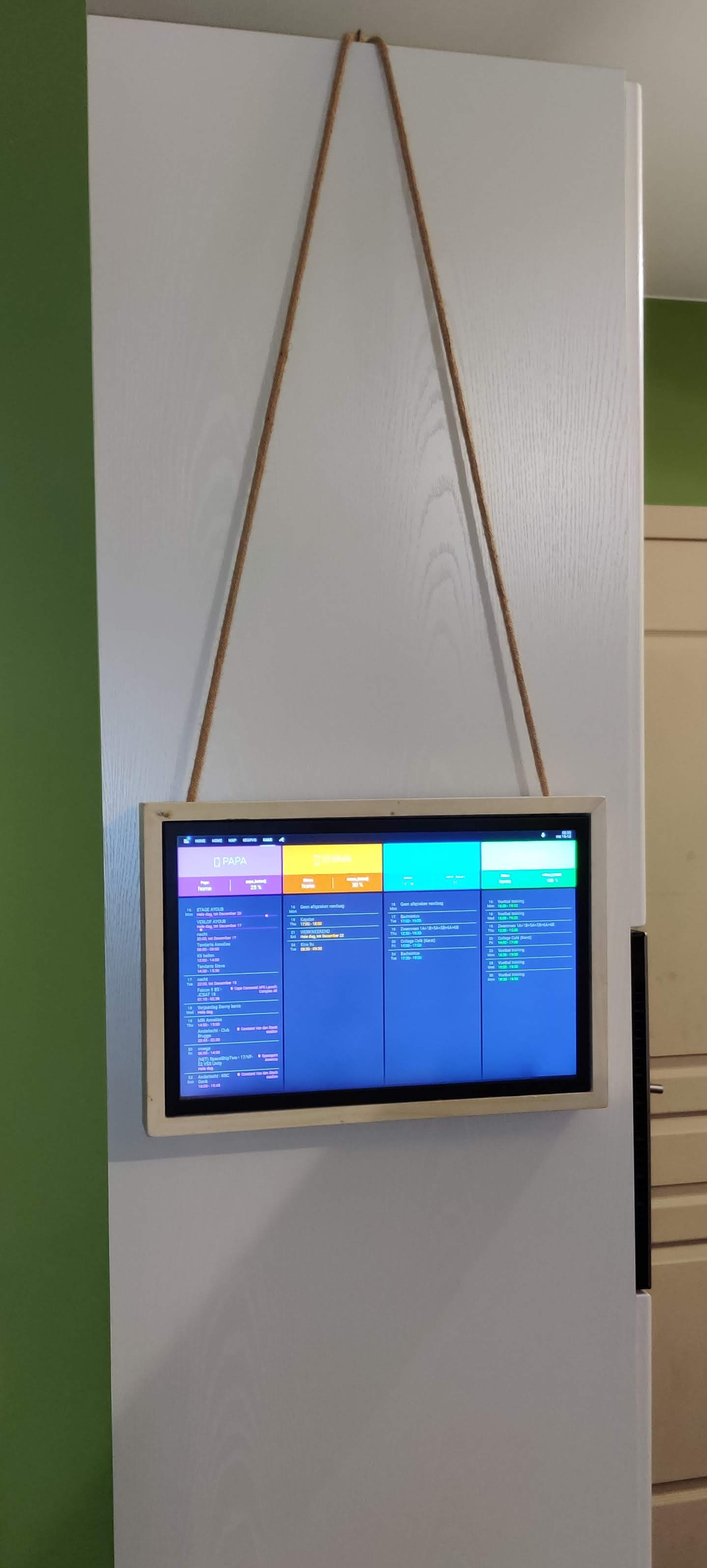
Here’s a little write up on how I made and installed a 19″ touchscreen run by a Rpi to be used as a touchscreen control center for my home assistant install that runs our home.
Items that were used making this project.
- 19″ touchscreen bought on Aliexpress (http://tiny.cc/3lhphz)
±340€ (including shipping and import fees) - Rpi3b (available nearly everywhere..)
±35€ - Rpi power supply
±10€ - MicroSD card (minimum 8GB)
±10€ - Decorative electrical “rope” (http://tiny.cc/qshphz)
±10€ - “Short” HDMI cable ~ 20CM / 8″ (http://tiny.cc/gvhphz)
±5€ - Wooden frame (made it myself, will try to describe below)
±25€
Install raspbian. setting up SSH, VNC and kiosk mode.
I used NOOBS (http://tiny.cc/ouiphz) to install Raspbian.
For enabling SSH see this tutorial –> http://tiny.cc/p2iphz
For enabling VNC see this tutorial –> http://tiny.cc/a6iphz
For installing “KIOSK mode” see this tutorial –> http://tiny.cc/2viphz
Wooden frame.
Below you can find some 3D drawings I made for the frame, as well as some up close pictures of the “finished” frame.
I just bought some wood (18mm for frame and 6mm panel for the back) at a local hardwarestore (had them cut it to size for a few extra €’s) and assembled it with simple wood glue and some screws.
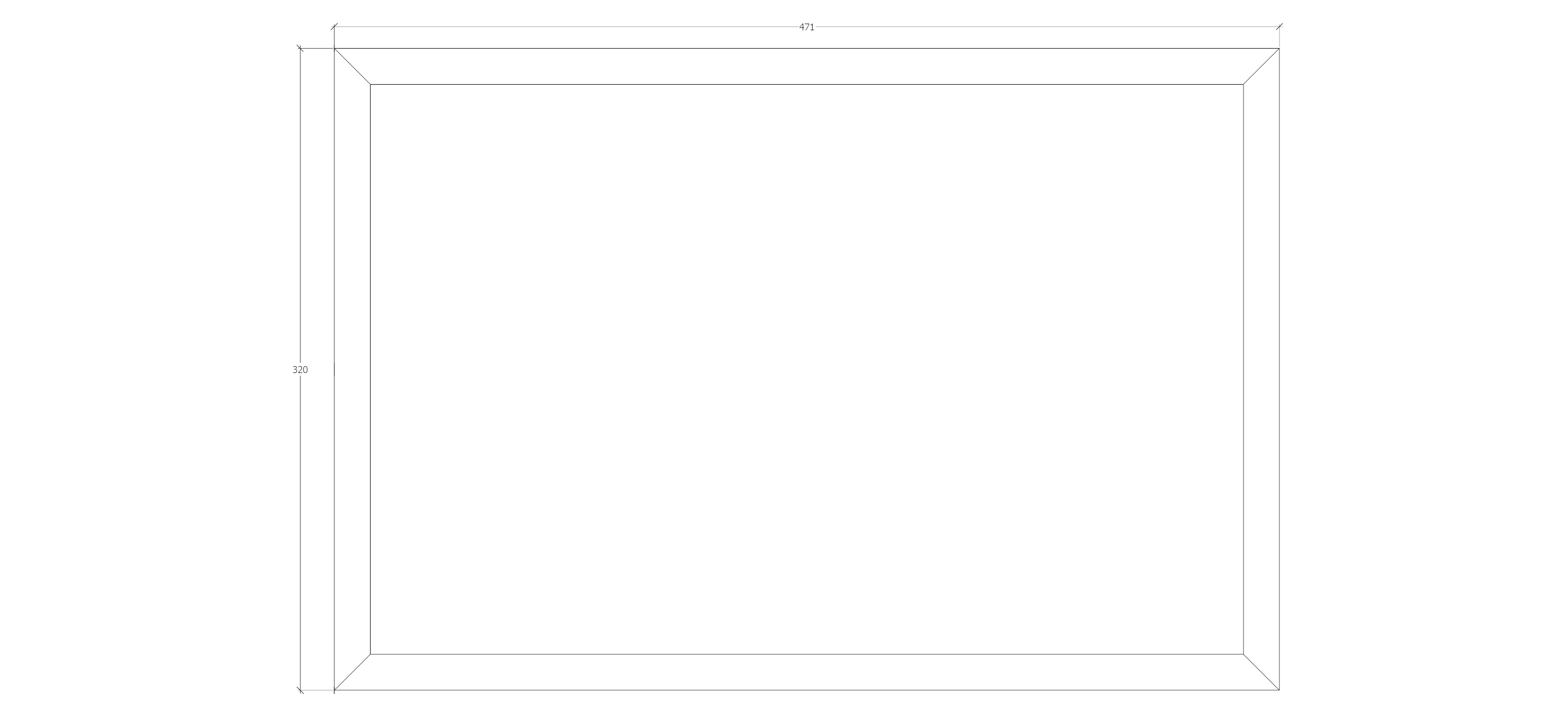
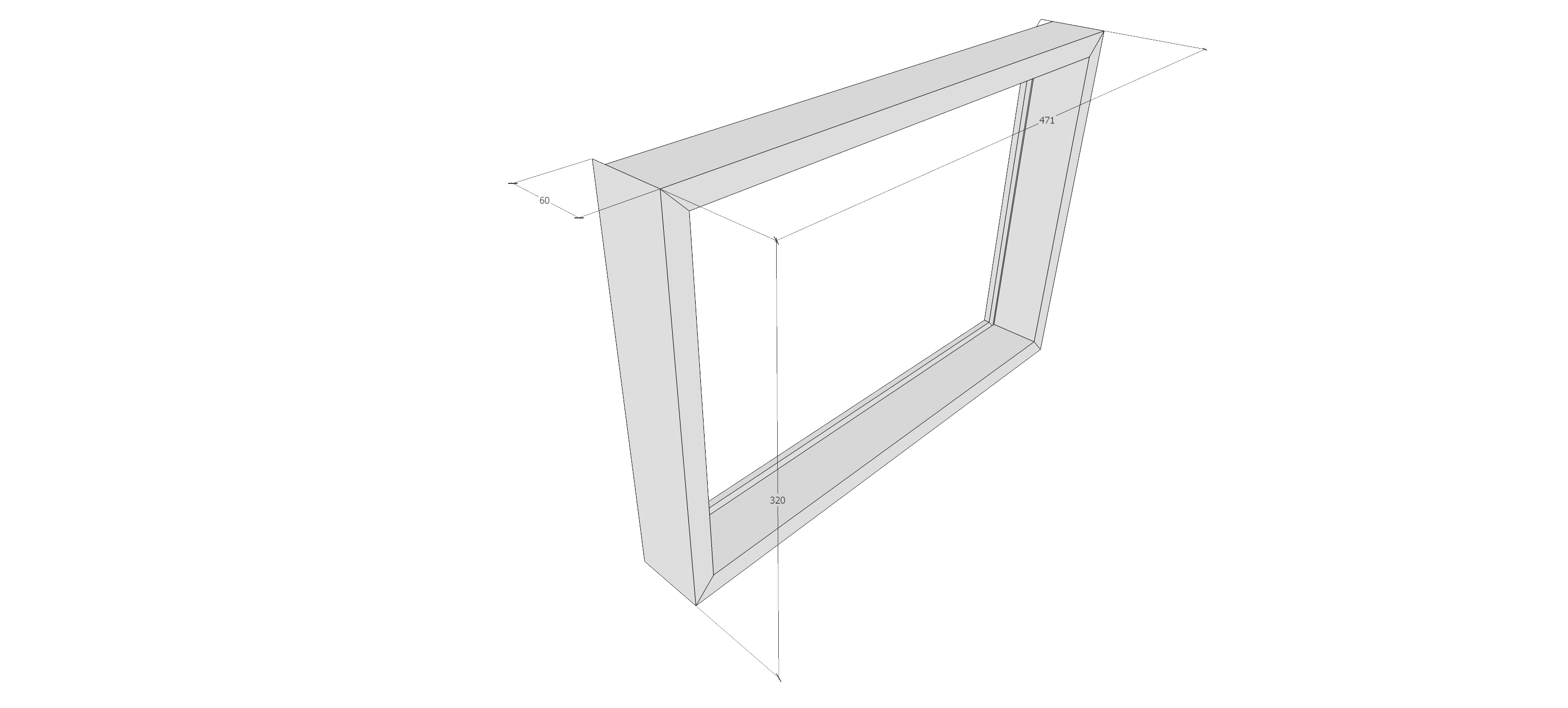
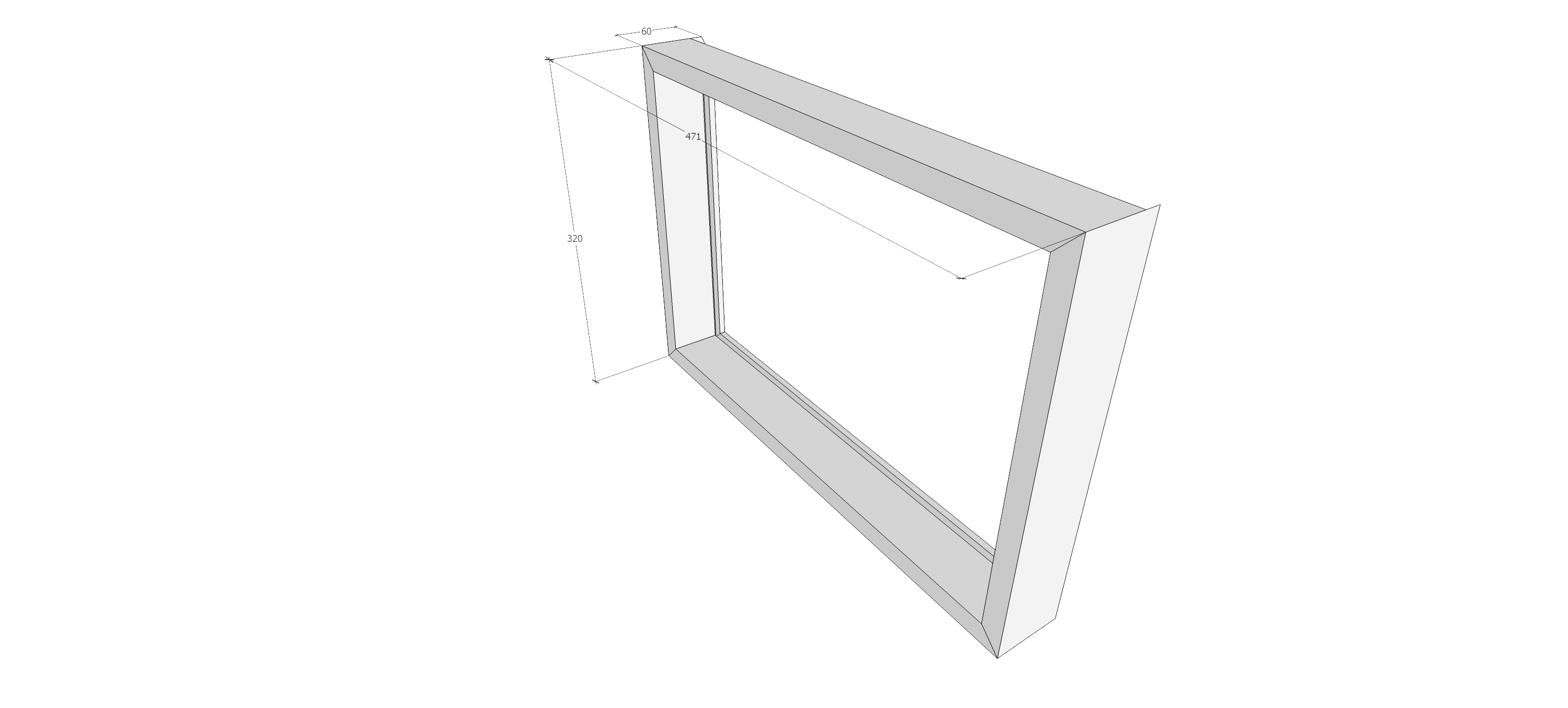
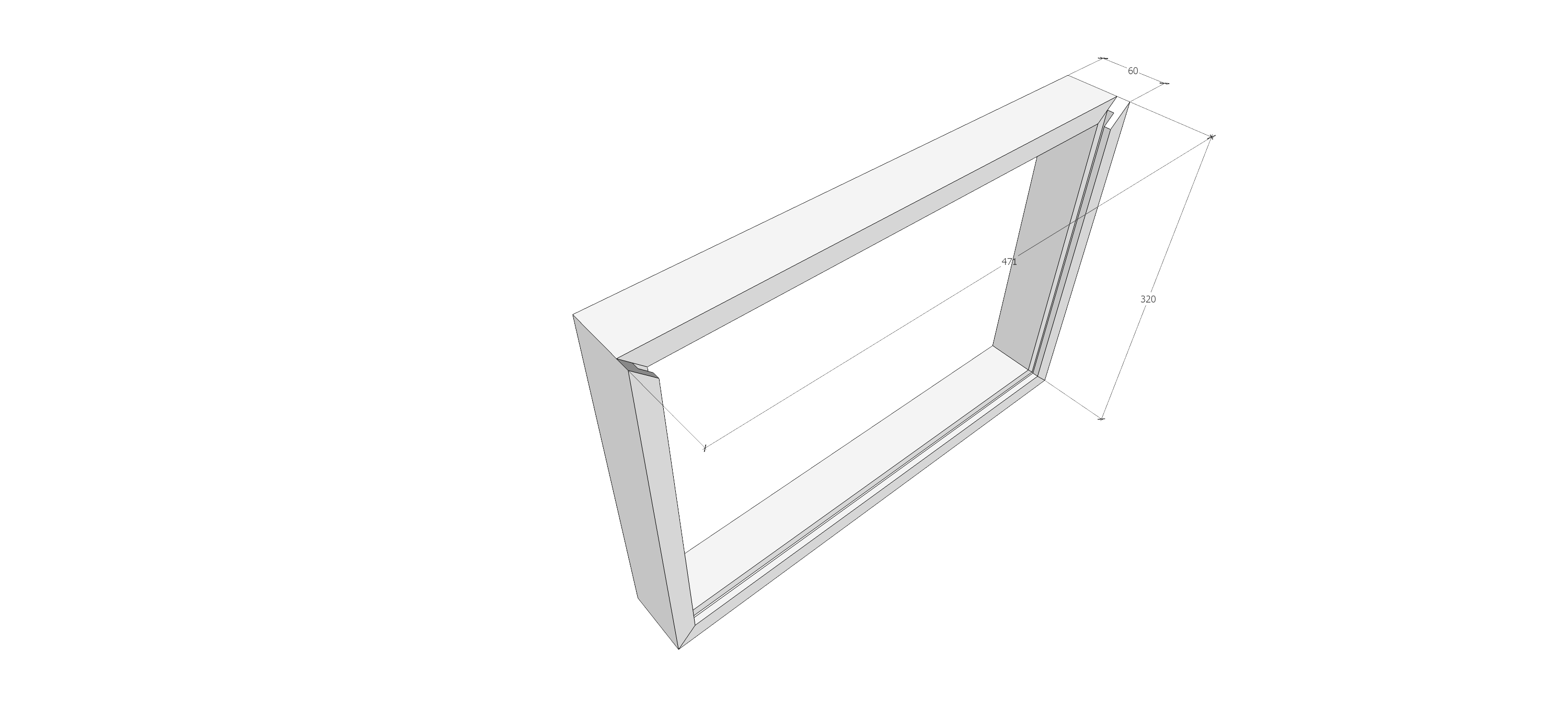
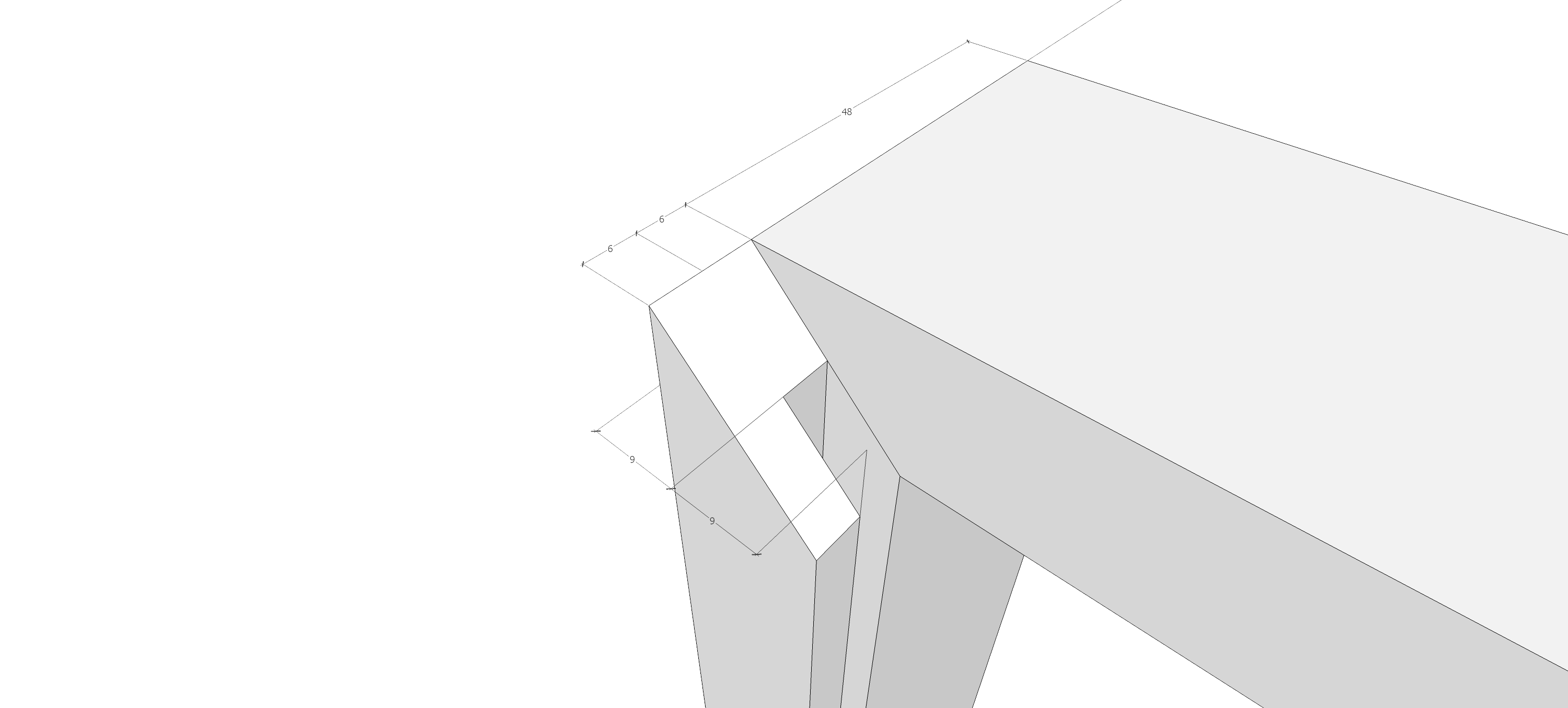
These are some drawings I made for my screen size, but you can adjust them to your own liking.
!!! IMPORTANT !!!
I made it so that I could use the VESA screws to attach the screen to the back panel and then screwed the back panel to the top bar so the weight of the entire piece (held by the electrical rope) is held by screws and not the glued corners.
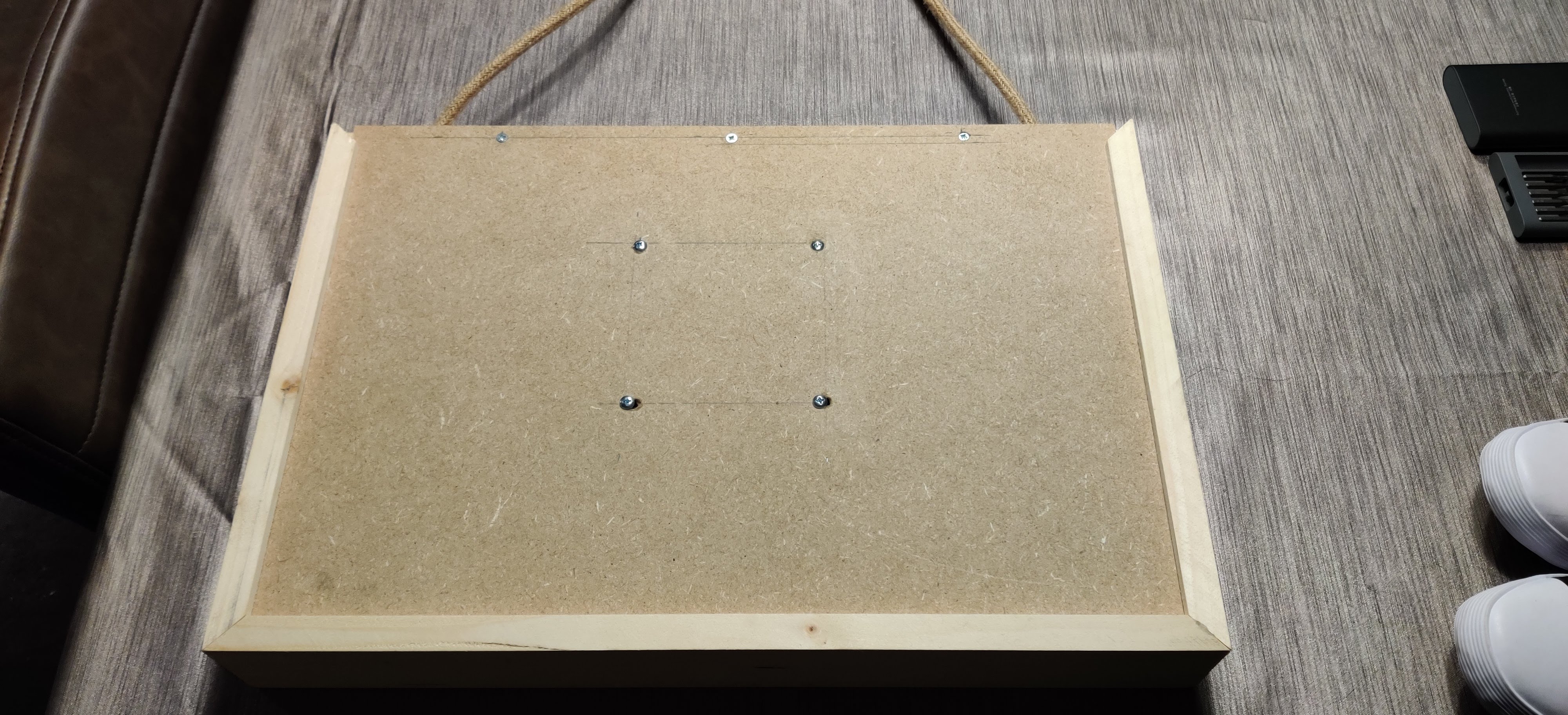
Wiring it all up.
To get power to the Rpi and touchscreen I needed to find something that would blend in and the “rope look” cable I found on amazon fit the bill perfectly.
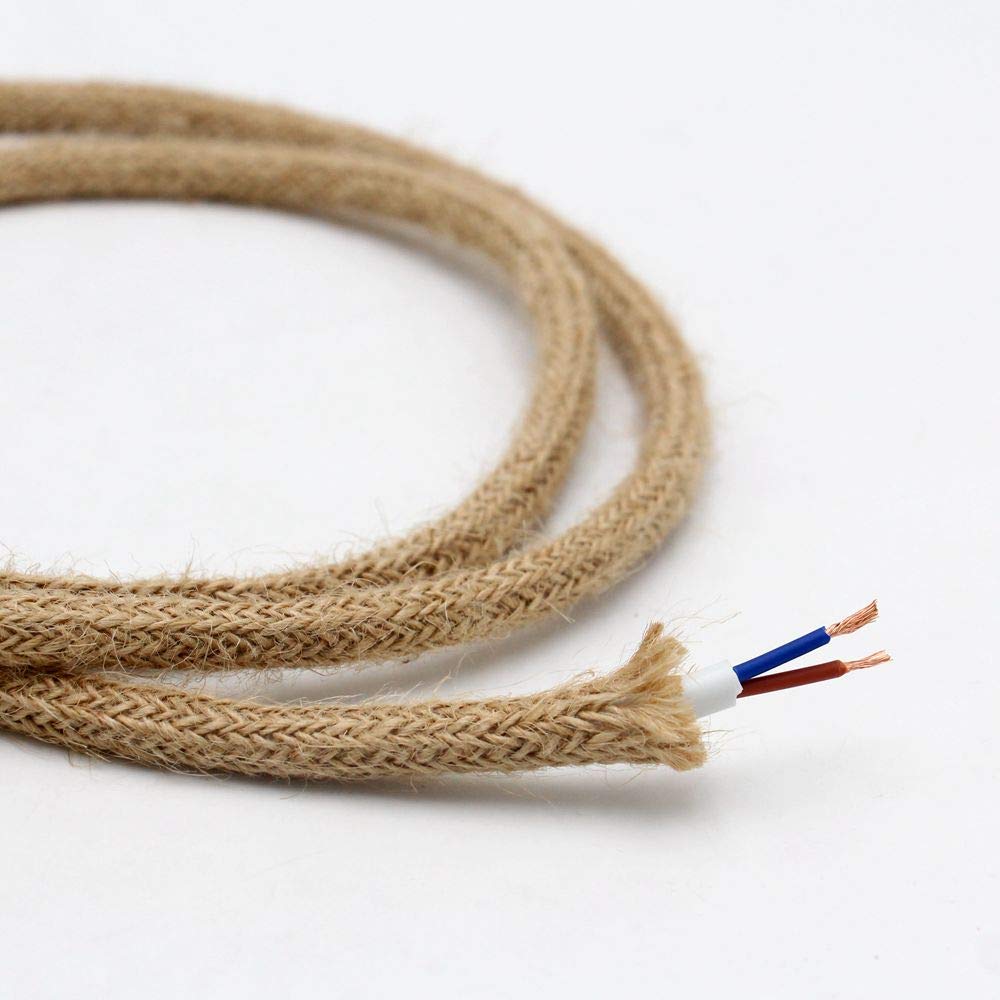
I cut the power cables for the monitor and Rpi to be able to put the “electric rope” in between.
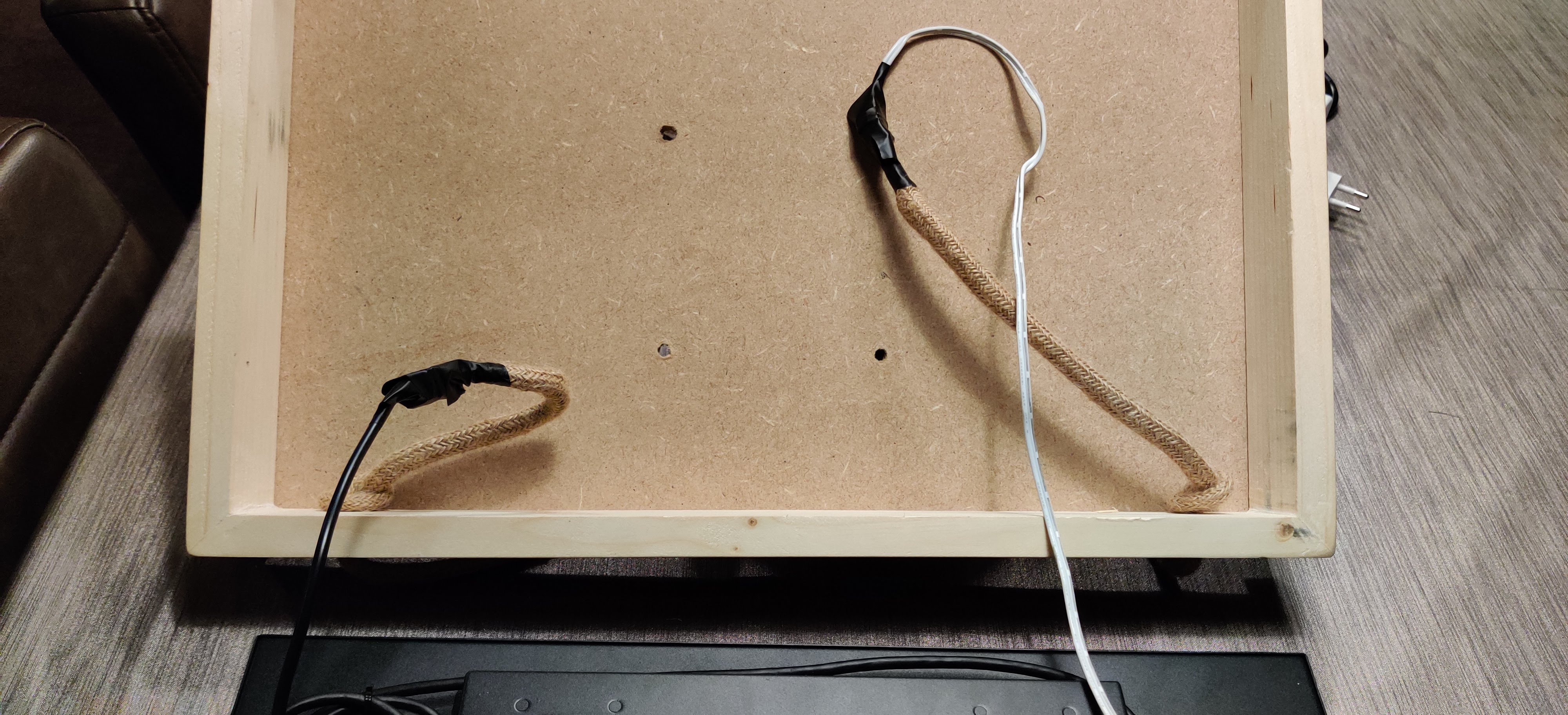
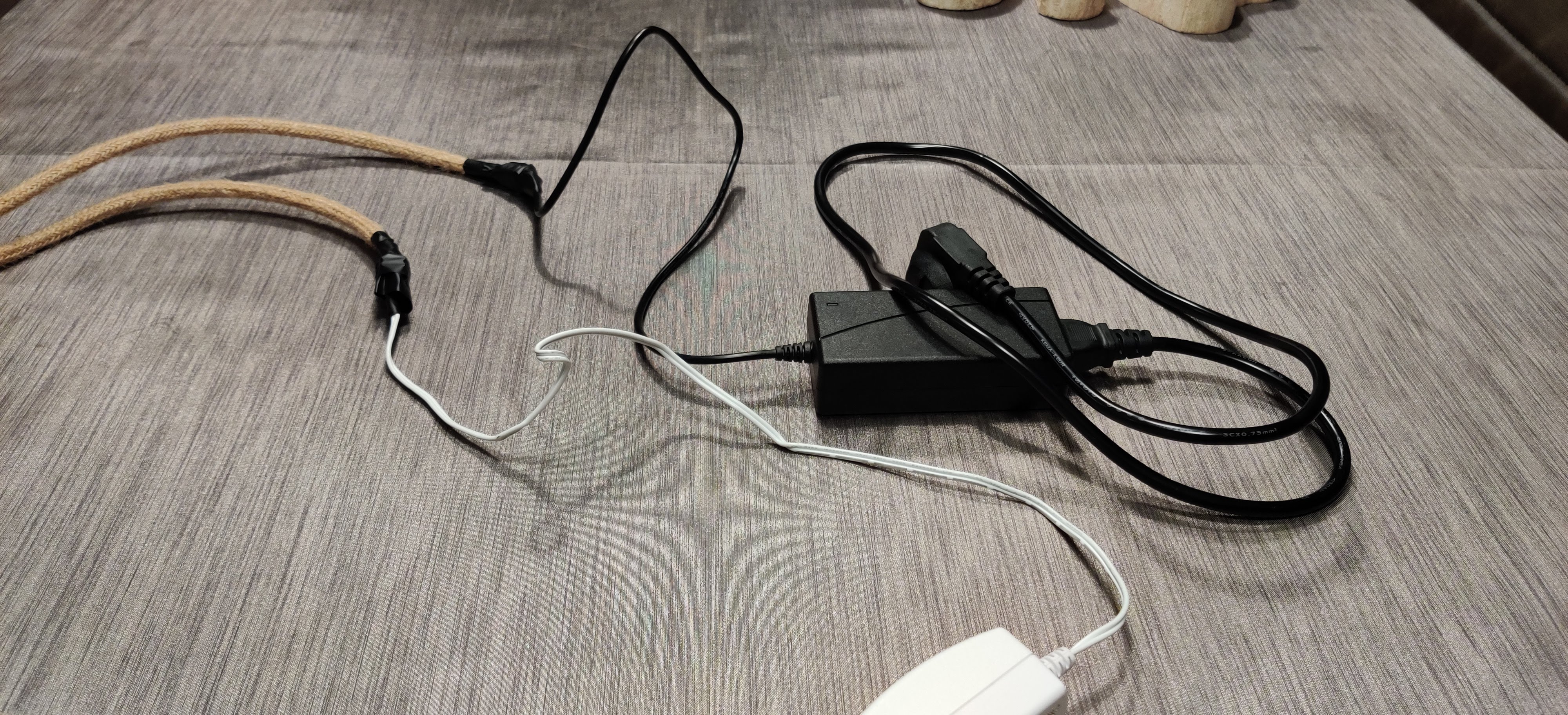
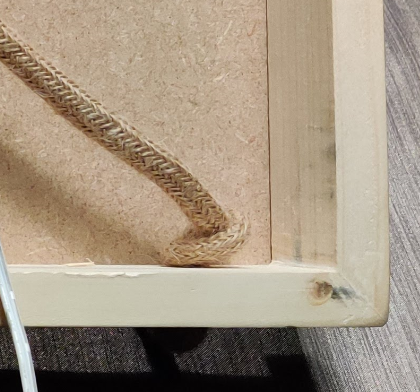
I then knotted the electrical rope on the inside to “fasten” it.
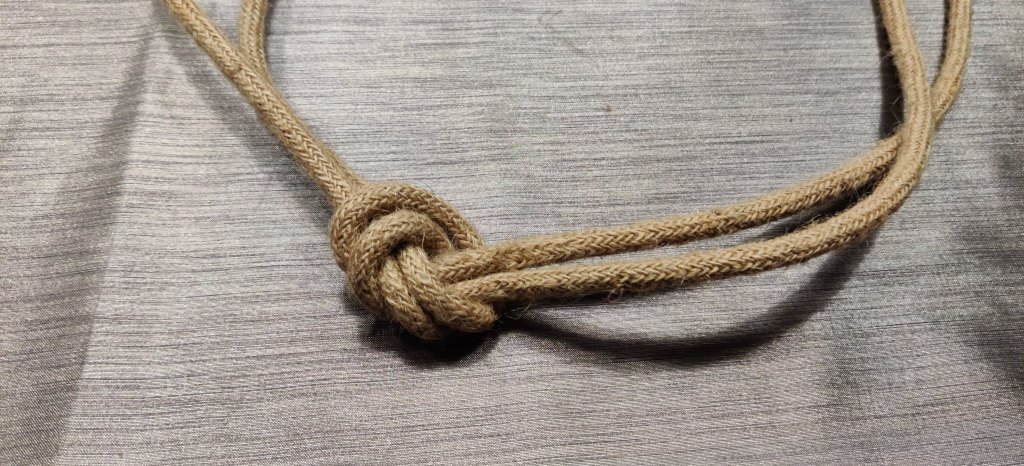
And at the other end I tied a knot to connect the two pieces of rope so I was able to hang it from the hook I’ve installed at the top of the kitchen cabinet.
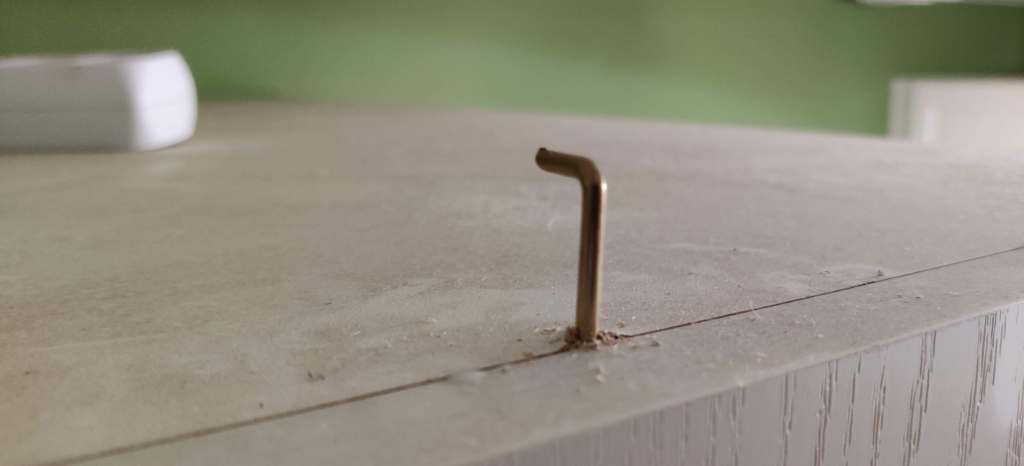
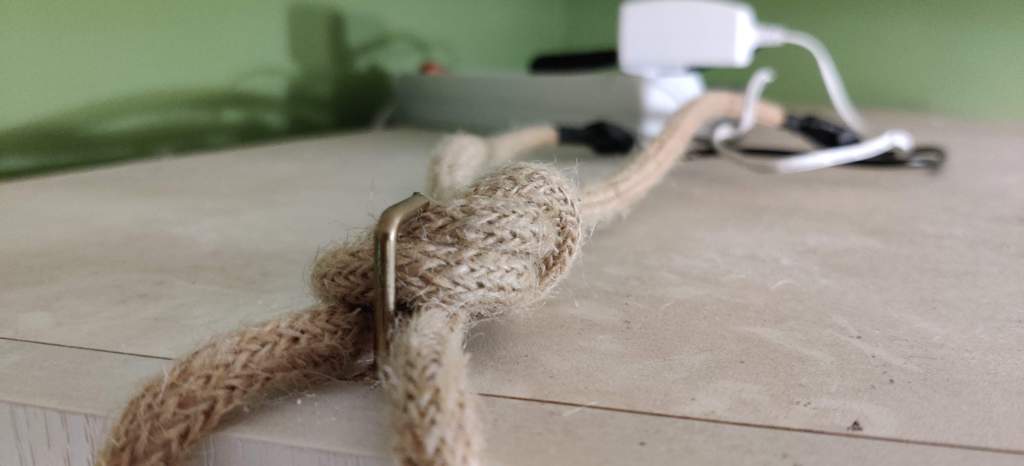
I used a piece of plastic to shield the Rpi from the metal backing of the screen and connected the rest of the cables – HDMI, USB, POWER..
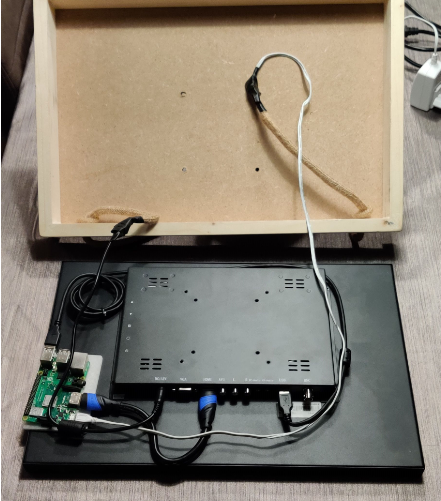
Then I closed it up using the previously mentioned VESA screws.
LOVELACE info.
On the default view I use the custom banner card (http://tiny.cc/dwkphz) to show people statuses (home or away) and phone battery status. For the calendars I use the custom atomic calendar card (http://tiny.cc/dxkphz)
To make that all look a little better and have more control on how it looks I use the custom layout card (http://tiny.cc/z0kphz)
Here’s the complete code for the view.
      - cards:
          - background: mediumpurple
            entities:
              - person.papa
              - sensor.papa_batterij
            heading: "\U0001F468 PAPA"
            row_size: 2
            type: 'custom:banner-card'
          - background: '#FFA500'
            entities:
              - person.mama
              - sensor.mama_batterij
            heading: "\U0001F469 MAMA"
            row_size: 2
            type: 'custom:banner-card'
          - background: '#03a9f4'
            entities:
              - person.aaron
              - sensor.aaron_batterij
            heading: "\U0001F466 AARON"
            row_size: 2
            type: 'custom:banner-card'
          - background: greenyellow
            entities:
              - person.ruben
              - sensor.ruben_batterij
            heading: "\U0001F466 RUBEN"
            row_size: 2
            type: 'custom:banner-card'
          - dateColor: grey
            dateFormat: L
            dateSize: 110
            dayWrapperLineColor: grey
            dimFinishedEvents: true
            entities:
              - entity: calendar.xxx
            eventBarColor: 'rgb(147, 112, 219)'
            finishedEventFilter: grayscale(100%)
            finishedEventOpacity: 0.6
            fullDayEventText: Hele dag
            language: nl-NL
            locationIconColor: 'rgb(147, 112, 219)'
            locationLinkColor: 'rgb(147, 112, 219)'
            locationTextSize: 100
            maxDaysToShow: 6
            noEventsForNextDaysText: Geen afspraken in de komende dagen
            noEventsForTodayText: Geen afspraken vandaag
            progressBarColor: 'rgb(147, 112, 219)'
            showColors: true
            showCurrentEventLine: false
            showLocation: true
            showMonth: false
            showNoEventsForToday: true
            showProgressBar: true
            style: |
              ha-card {
                height: 765px;
              }
            timeColor: 'rgb(147, 112, 219)'
            timeSize: 110
            title: null
            titleColor: grey
            titleSize: 120
            type: 'custom:atomic-calendar'
            untilText: Tot
          - dateColor: grey
            dateFormat: L
            dateSize: 110
            dayWrapperLineColor: grey
            dimFinishedEvents: true
            entities:
              - entity: calendar.xxx
            eventBarColor: 'rgb(255, 165, 0)'
            finishedEventFilter: grayscale(100%)
            finishedEventOpacity: 0.2
            fullDayEventText: Hele dag
            language: nl-NL
            locationIconColor: 'rgb(255, 165, 0)'
            locationLinkColor: 'rgb(255, 165, 0)'
            locationTextSize: 100
            maxDaysToShow: 10
            noEventsForNextDaysText: Geen afspraken in de komende dagen
            noEventsForTodayText: Geen afspraken vandaag
            progressBarColor: 'rgb(255, 165, 0)'
            showColors: true
            showCurrentEventLine: false
            showLocation: true
            showMonth: false
            showNoEventsForToday: true
            showProgressBar: true
            style: |
              ha-card {
                height: 765px;
              }
            timeColor: 'rgb(255, 165, 0)'
            timeSize: 110
            title: null
            titleColor: grey
            titleSize: 120
            type: 'custom:atomic-calendar'
            untilText: Tot
          - dateColor: grey
            dateFormat: L
            dateSize: 110
            dayWrapperLineColor: grey
            dimFinishedEvents: true
            entities:
              - entity: calendar.xxx
            eventBarColor: 'rgb(3, 169, 244)'
            finishedEventFilter: grayscale(100%)
            finishedEventOpacity: 0.2
            fullDayEventText: Hele dag
            language: nl-NL
            locationIconColor: 'rgb(3, 169, 244)'
            locationLinkColor: 'rgb(3, 169, 244)'
            locationTextSize: 100
            maxDaysToShow: 14
            noEventsForNextDaysText: Geen afspraken in de komende dagen
            noEventsForTodayText: Geen afspraken vandaag
            progressBarColor: 'rgb(3, 169, 244)'
            showColors: true
            showCurrentEventLine: false
            showLocation: true
            showMonth: false
            showNoEventsForToday: true
            showProgressBar: true
            style: |
              ha-card {
                height: 765px;
              }
            timeColor: 'rgb(3, 169, 244)'
            timeSize: 110
            title: null
            titleColor: grey
            titleSize: 120
            type: 'custom:atomic-calendar'
            untilText: Tot
          - dateColor: grey
            dateFormat: L
            dateSize: 110
            dayWrapperLineColor: grey
            dimFinishedEvents: true
            entities:
              - entity: calendar.xxx
            eventBarColor: 'rgb(127, 197, 20)'
            finishedEventFilter: grayscale(100%)
            finishedEventOpacity: 0.2
            fullDayEventText: Hele dag
            language: nl-NL
            locationIconColor: 'rgb(127, 197, 20)'
            locationLinkColor: 'rgb(127, 197, 20)'
            locationTextSize: 100
            maxDaysToShow: 14
            noEventsForNextDaysText: Geen afspraken in de komende dagen
            noEventsForTodayText: Geen afspraken vandaag
            progressBarColor: 'rgb(127, 197, 20)'
            showColors: true
            showCurrentEventLine: false
            showLocation: true
            showMonth: false
            showNoEventsForToday: true
            showProgressBar: true
            style: |
              ha-card {
                height: 765px;
              }
            timeColor: 'rgb(127, 197, 20)'
            timeSize: 110
            title: null
            titleColor: grey
            titleSize: 120
            type: 'custom:atomic-calendar'
            untilText: Tot
        column_num: 4
        column_width: <column width>
        layout: horizontal
        max_columns: 4
        max_width:
          - 25%
          - 25%
          - 25%
          - 25%
        min_height: 1
        rebuild: 2000
        type: 'custom:layout-card'
    panel: true
    title: your title here
Finished result !
 my smart home blog